The High Road
Date: October 2025
Tools Used: Godot, Arduino, Tiny Core
The High Road is an experimental arcade game that I developed for an Alt Arcade course at CU Boulder in Fall 2025, designed around a custom-built mannequin controller. Players take on the role of a baby controlling a hiker—essentially a “baby mech”—climbing a mountain and battling other hikers using physical inputs like arm movement and waist rotation. I built this game using Godot and Arduino-based sensors, using help from my teacher and friends to create a project that combined unconventional hardware with game design to create a playful and physically engaging experience. The development process involved designing terrain, enemy state machine systems, and mapping real-world motion to in-game actions, alongside extensive iteration and playtesting. Debuted at the 2025 Whaaat!? Festival, the game has been well received for its creativity and unique interaction, while in the future I would like to refine the controller and expand gameplay depth.
Gallery / Screenshots

Links
Documentation
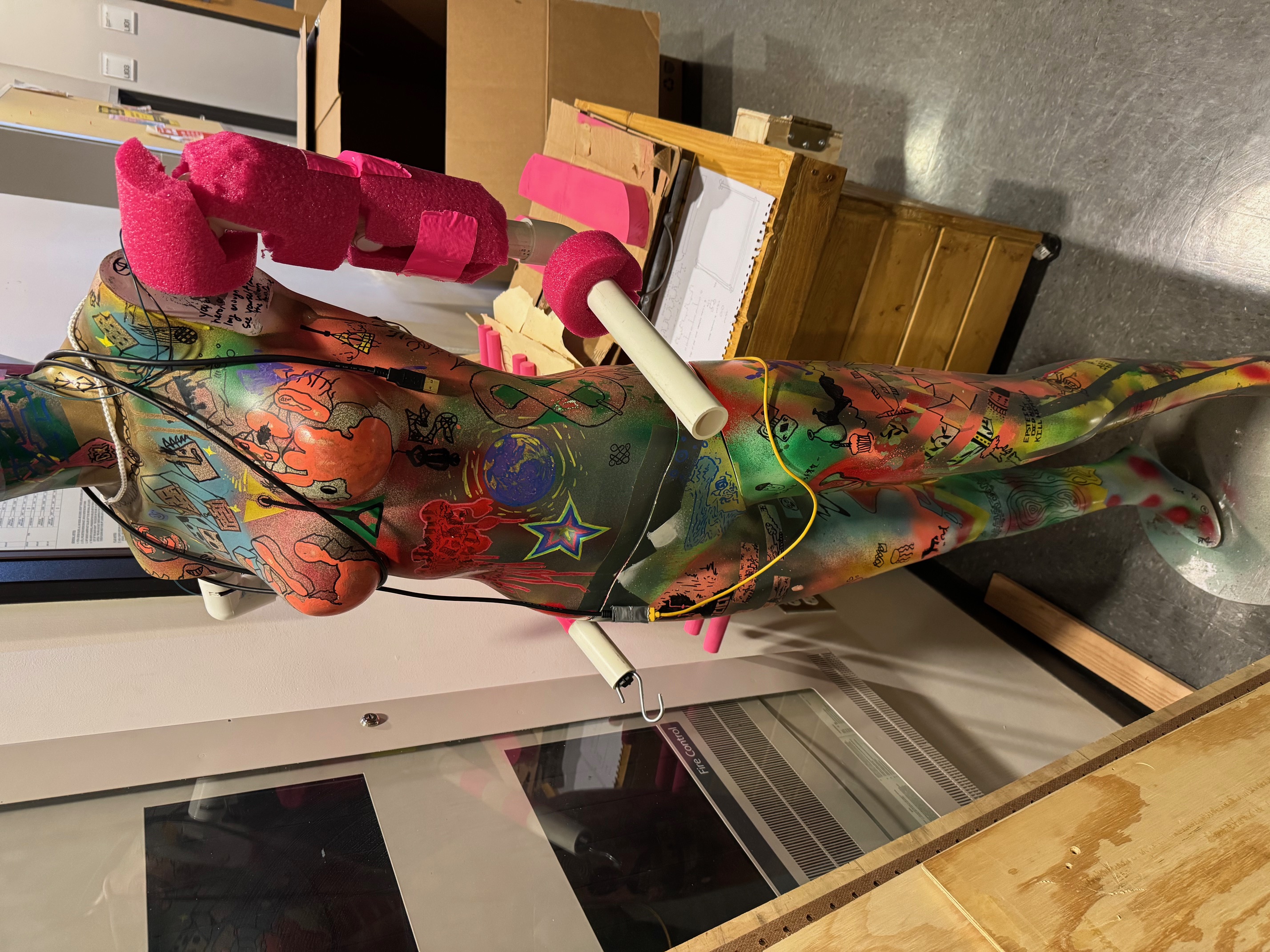
For my Alt Arcade class I took in the Fall semester of 2025, I decided I wanted to create a game using the mannequin I had bought over the summer and had graffiti’d over. I had been really inspired to use my mannequin as much as possible, I had bought it for only $5 and I loved the idea of making the most of this $5 that I had spent. In Alt Arcade we were given an assignment to create something for the Whaaat!? Festival, this big alternative gaming festival held by the ATLAS Institute at CU Boulder, where many students and game developers showcase the weird games they have made. For this assignment, I suggested to the class a game where you use a mannequin to control a hiker hiking up a mountain as they fight off enemies trying to prevent them from reaching the top. You would use the arms to punch, and you twist the waist to control the direction your character is moving in. I thought it was a really fun and unique idea, and I came up with the name The High Road because it contradicts the idea of beating up enemies while hiking up a mountain. Unfortunately, no one from the class wanted to join my group for this project, but I was really set on creating this game, so I built it (mostly) alone. I asked Danny, the teacher of the course and headrunner for the Whaaat!? Festival, if he could help me create the sensors for the mannequin, because I don’t have that much experience with wiring and Arduino setups, so while I coded and created the game, Danny helped implement the controller.
I began creating the game by thinking about how the main game loop should function, why the players will want to get to the top?, what makes the controller fun to use?, what game fantasy do I want to create for the players?, etc. I still liked the idea of controlling a hiker climbing a mountain, so I wanted to form everything about the game around this idea. I decided that the players actually play as a baby on the back of a hiker in a baby backpack, and the baby (the player) controls the hiker to get them to the top of the mountain, while fighting other hikers that are being controlled by babies. In a way, it’s like a baby mech fighting game. I suggested this to Danny, and he loved the concept. After I figured out how I wanted the players to feel, I started coding the game.
The first thing I wanted to create was the map for the players to hike up. I downloaded a Godot extension that makes creating landscapes easy, and I made a bunch of twists and turns that would make climbing the mountain interesting and difficult. There are parts where the path gets very big and bumpy, and other parts where the path narrows down a lot. I wanted to create this idea of “levels”, and each of these levels would have a different landscape. The big bumpy path had a bunch of trees placed around, creating a thick forest, while the narrow thin path was made of stone, to create a cliff. After creating the map, I made the enemies and how they would function in the game. For the purposes of the game, they would stand still when the player isn’t nearby, they would chase enemies when the player enters a big radius around them, and they would enter an attacking state when the player enters a really close radius. I created a state machine that would allow the enemies to switch back and forth between these states depending on how close an enemy is to a player. I wanted to make a ragdoll state as well, but getting raytracing to work in the game was not my top priority over functionality.
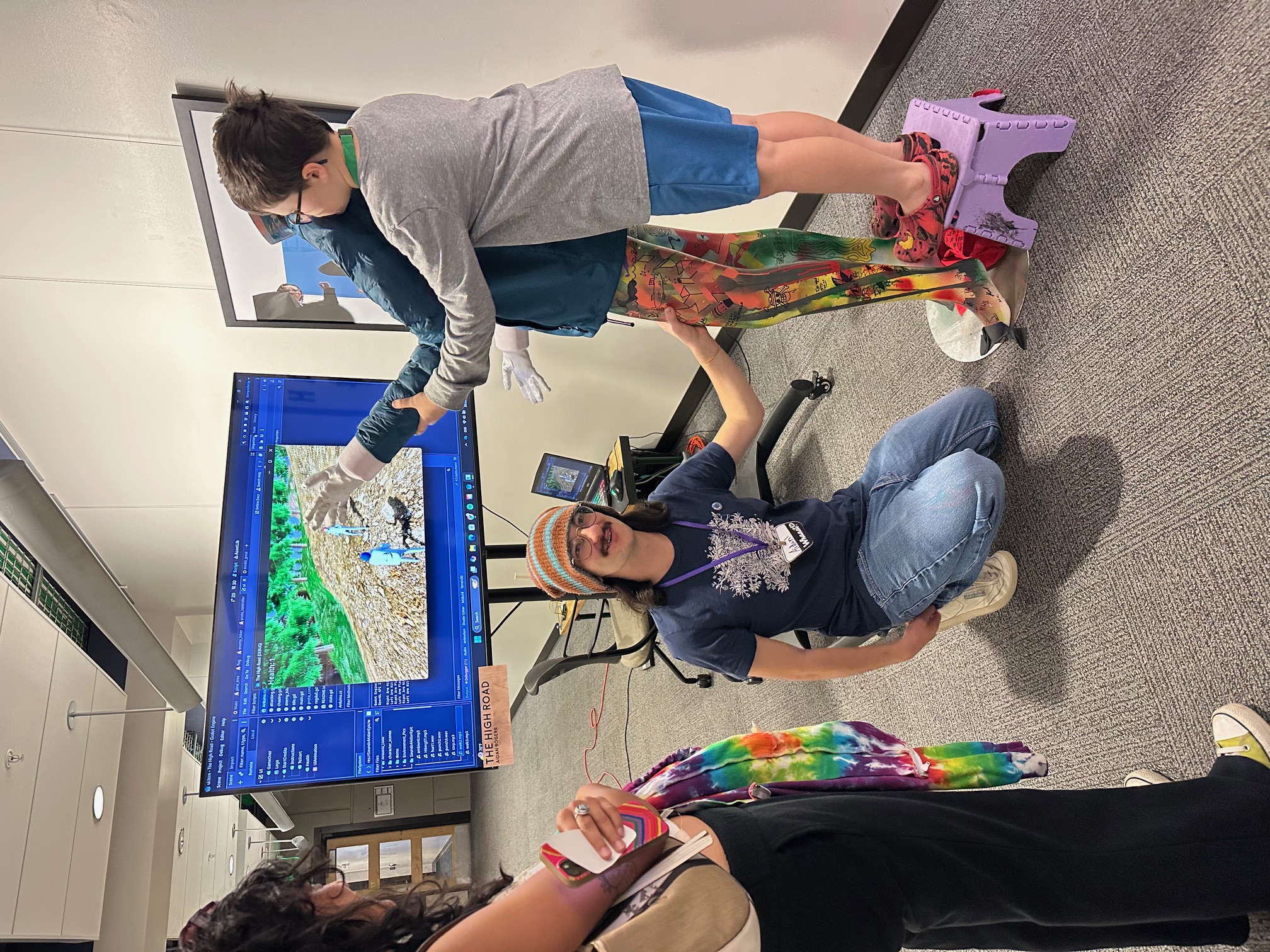
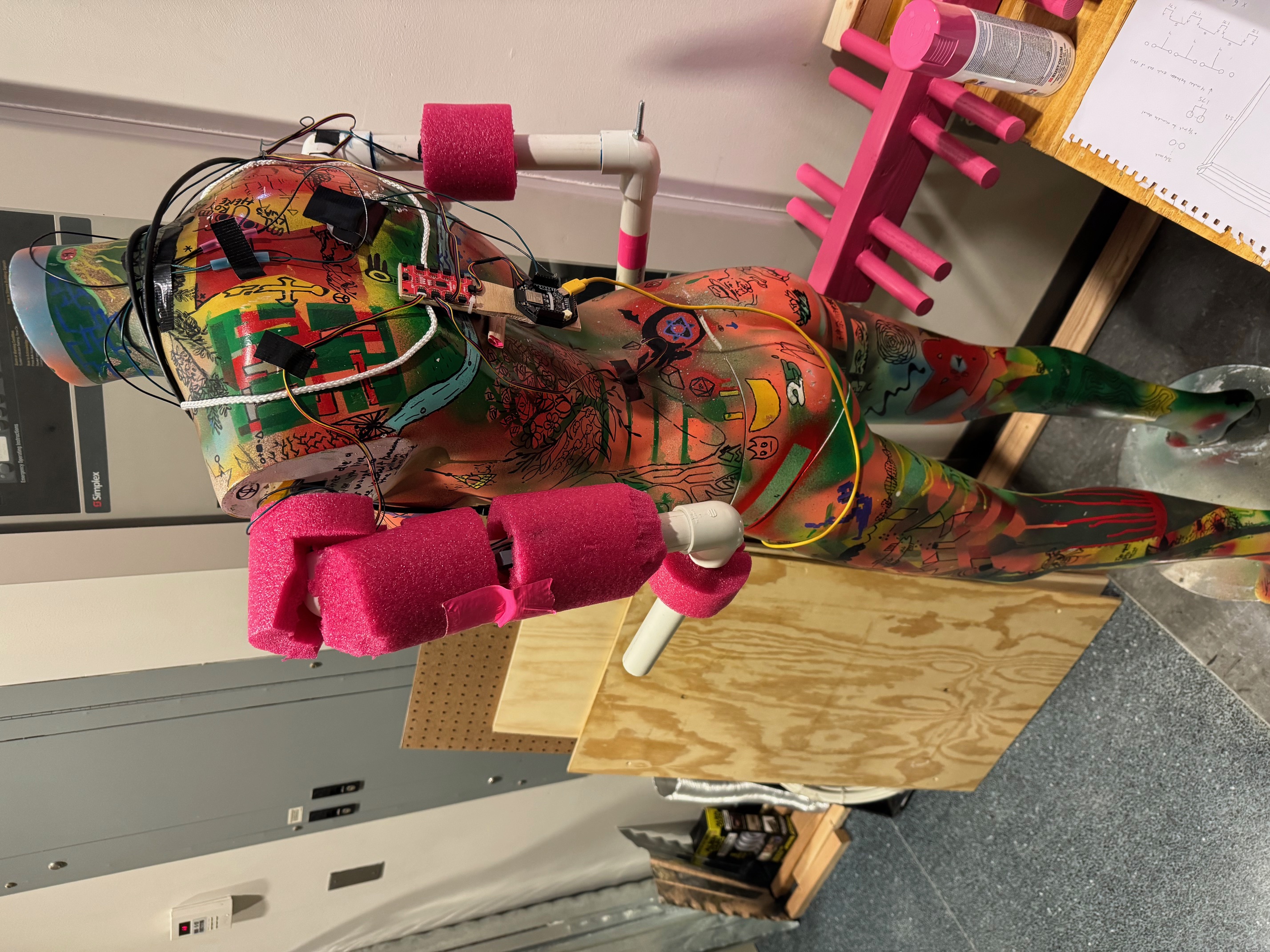
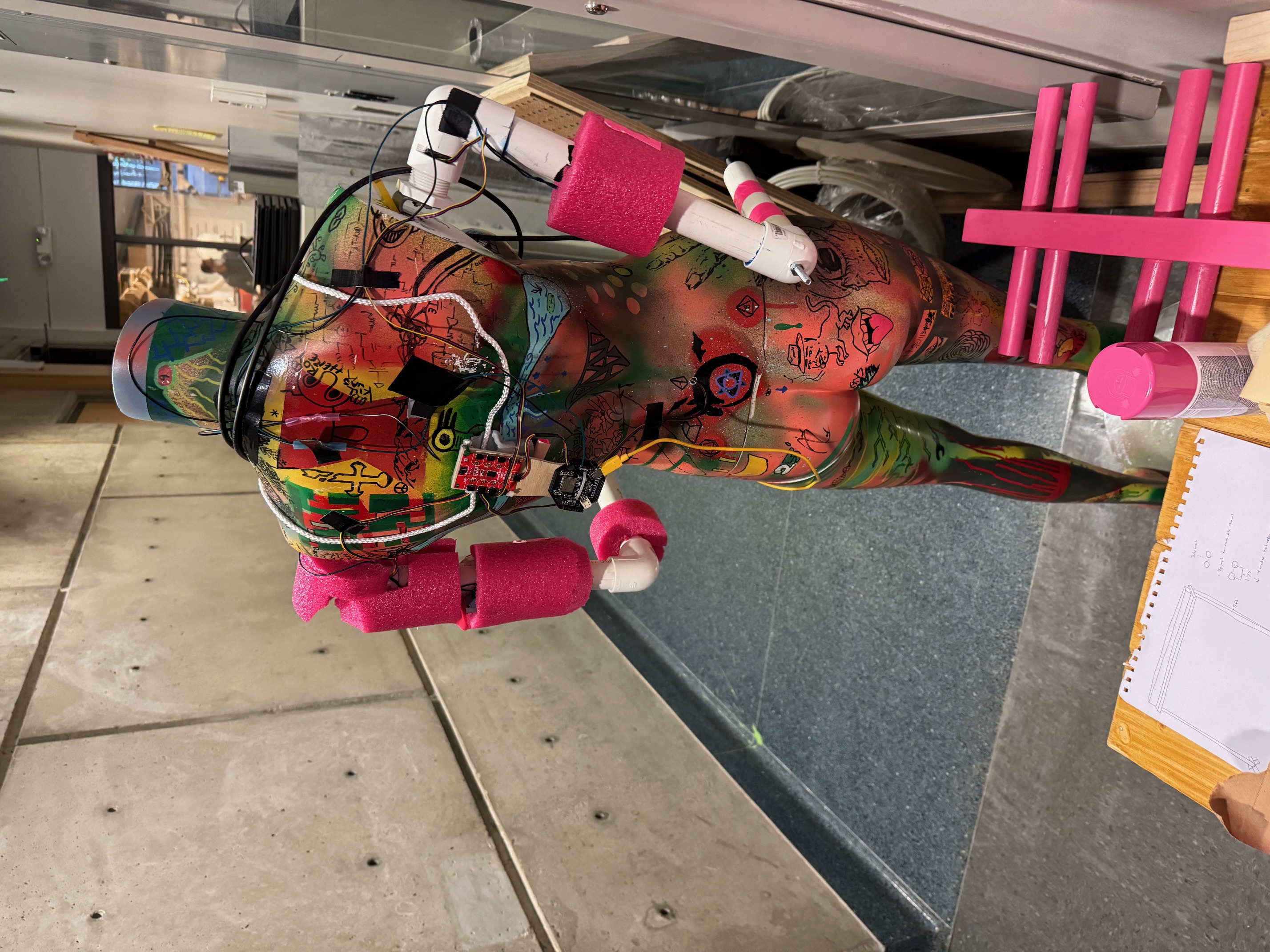
Next I began working on how to get the player controls to work. Since the mannequin wasn’t fully working yet, I set up a mini Arduino circuit board with 3 rotation sensors connected to it and 1 button. The 3 sensors controlled the left arm, right arm, and waist, while the button was used to determine whether or not the player was moving. I had decided on the idea that if you squeezed the arms of the mannequin, the player would stop moving, a lot like how babies would squeeze the arms of their parents when they want them to do something for them. In Godot, I had to download another extension so that I could code in C++ and read serial inputs from my Arduino circuit board, and once I was able to read those inputs I calculated what it would take to move the hitboxes in game in correlation to the inputs that were being read by the serial monitor. It took a while to fine tune the inputs, but eventually I got it so that it (mostly) worked. Next I had to get a model of a hiker into the game, and have it switch between animations when the player would stop or move. Getting the stopping and moving wasn’t difficult to implement, but finding a way to move a model's skeleton using the serial inputs from the Arduino, and having that match up with how the hitboxes were also moving took a while. I had to make it so the player could only punch when they are stopped in one place, or else the animation of the walk cycle would override any changes I would make with the serial input. This worked easier for the functionality of the game, it was already difficult to punch while moving, so locking that behind needing to stop was very necessary. Since I didn’t have much experience with modeling, I had my friend Sage make a basic human model with a hiker’s backpack for me with a walk animation, and I used my code to be able to move that model within Godot.
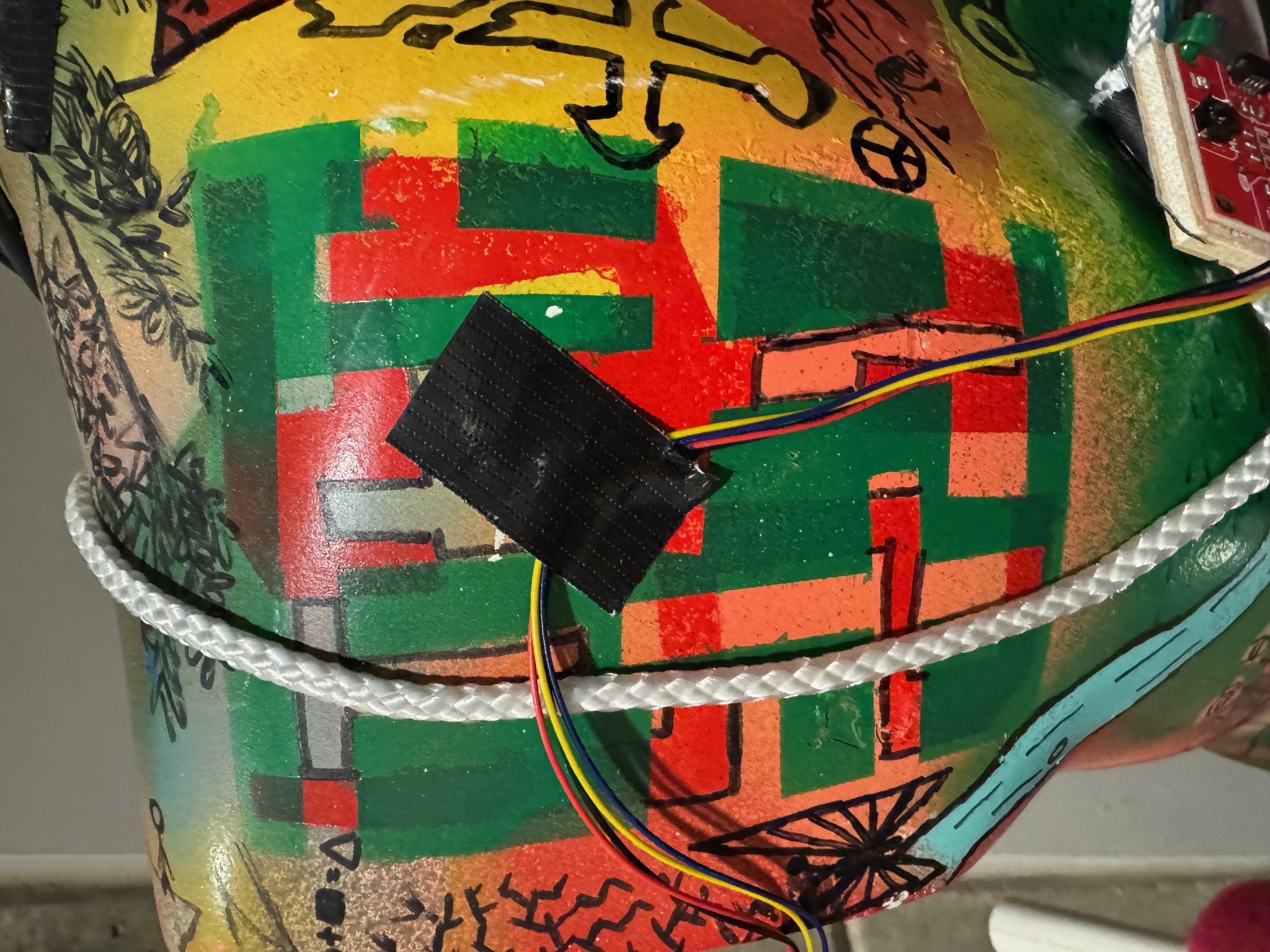
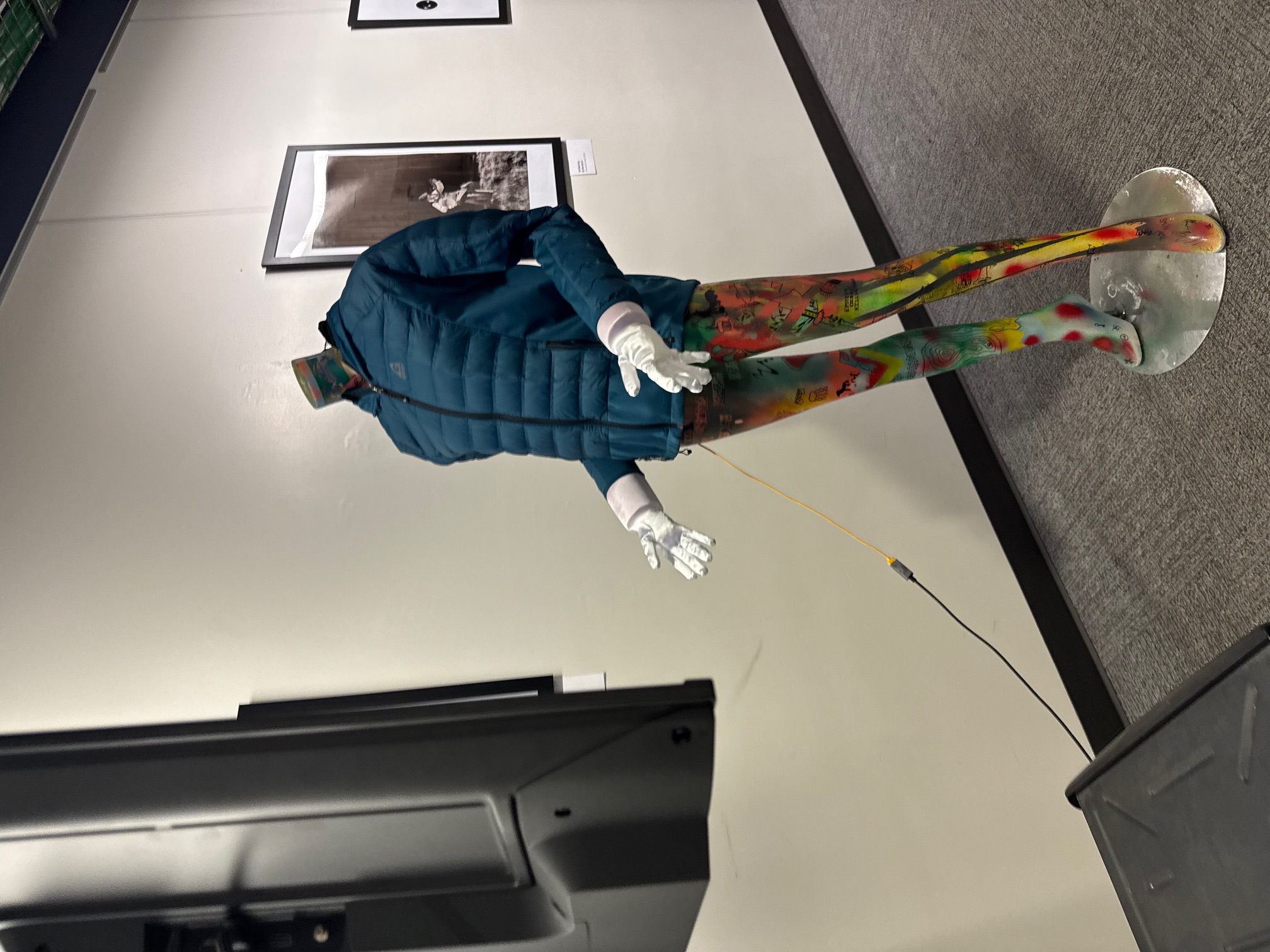
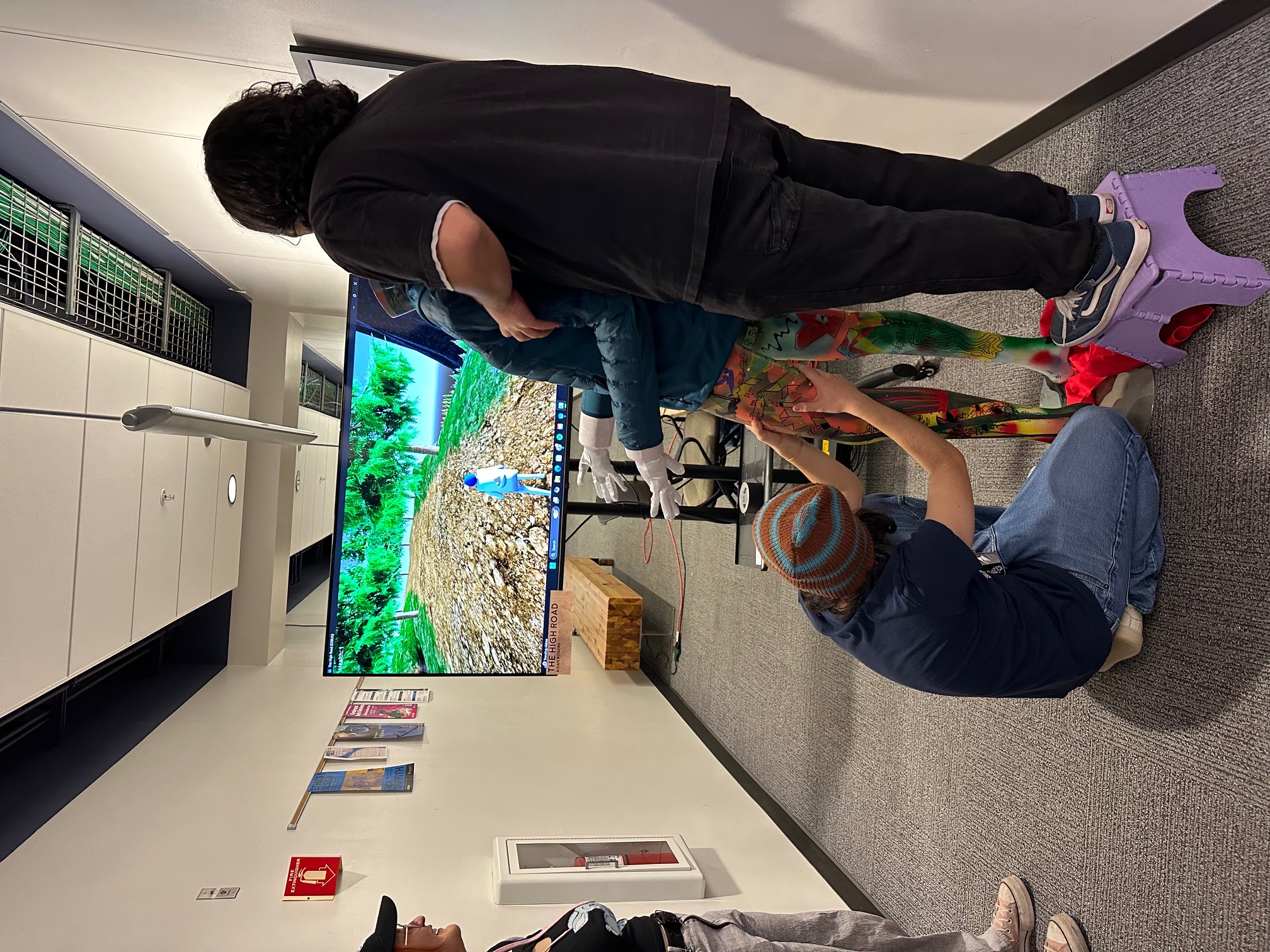
Once I had all of this implemented, I began playtesting to see whether or not it was fun while the mannequin was still being worked on by Danny. I tweaked many things like game speed and flow to find a balance that I liked and would think other players would enjoy. Once the mannequin controller was finished, I was able to playtest what it would feel like for a real player to play the game using the mannequin. This led to me tweaking even more details in the game, because using the mannequin was a lot more difficult than using my circuit board. The mannequin used magnetic rotation sensors to get the serial inputs for the arms and waist, and there were a lot of problems accurately reading the rotation of the magnets within the body of the mannequin. We had to cut holes in the mannequin's body to successfully wire the sensors together, and tape the sensors to very specific locations we needed them to be in her body. I had to 3D print a little magnet holder that I could put in a screw in her waist so that it would hold the magnet without sticking to the metal screw that was holding it. For the stopping mechanism in the arms we had created new arms out of PLA pipes and styrofoam and hid buttons underneath the styrofoam, so that when you squeezed any part of the arms the button would press down and stop the player. The arms are connected by metal hinges that slide into the arm slots that already existed in the mannequin, and easily swing back and forth, and are stuck in an uppercut position. I bought these long white gloves and filled them with paper towels to create these hands to place over the pool noodles we placed around the arms, to make it look more like human hands for the mannequin. Lastly, we placed a hiking jacket over the whole mannequin, mostly to fit with the aesthetic of the game while also hiding the wiring used in the controller.
Eventually I got to a point where I really liked how the game felt, and I was able to successfully show it off at the Whaaat!? Festival. All the attendees that were able to play my game thought it was really fun, and I overheard many different people talking about my game throughout the festival, which felt like I had succeeded in creating an enjoyable and unique experience for players.
Some of the things that I would improve on when I continue working on is the functionality of the controller. I wish I was able to work more on the mannequin controller, and really fine tune some of the sensors so that it would work perfectly. The waist tended to be a bit finicky, and you really needed to twist the waist in a specific way to get it to work properly. Ideally, it would’ve been nice to create a whole new mannequin person out of PLA pipes and styrofoam, so that it could’ve been more durable and easy to use, but I really liked using my mannequin as much as possible, so we stuck with the mannequin that I had. I also want to add more in depth content to the game, make multiple different enemies that all work in different ways, create an ending sequence for when you do make it to your goal, and possibly add items you can pick up that would change how you play the game. Since I was primarily focused on creating something that would function for the Whaaat!? Festival, I didn’t get to add a lot more of the juice that I ideally would have loved to add into the game. I also submitted my game to be used in GDC’s alt ctrl, which unfortunately didn't make it in, so I want to upgrade a lot of the aspects of the game so that I could submit my game again in the future.